VPN Location Changer Free: How to Change Your Location Safely
Learn how a free VPN changes your visible IP location, what to check before choosing one, and how to connect safely.
A free VPN location changer can make your internet connection appear to come from a different country or region. Choose a VPN app, connect to one of its available server locations, and websites will generally see the server’s IP address rather than your regular IP. The catch is that free services may offer fewer locations or impose other limits, so check the details before connecting.
Free VPN features to compare
| Feature | Why it matters | What to check | Good sign |
|---|---|---|---|
| Server locations | Determines available VPN exit locations | Countries and cities included free | Locations match your needs |
| Data allowance | Affects how long you can use the VPN | Monthly or daily limits | Clear, sufficient allowance |
| Connection speed | Affects browsing and streaming | Free-tier speed limits | No severe throttling |
| Privacy policy | Explains how your activity is handled | Logging and data-sharing practices | Clear, privacy-focused policy |
| Security | Helps protect your connection | Encryption and VPN protocols | Modern, documented protection |
| Device support | Determines where you can use it | Supported operating systems | Works on your devices |
| Ads and upsells | Can affect usability and privacy | Ads, prompts, and paid-only features | Disclosed restrictions |
| Reputation | Helps assess trustworthiness | Independent reviews and audits | Credible track record |
Compiled November 2026; check the provider's site for current details.
| VPN | Obfuscation | From / month | Plan | Free plan | Refund | Alipay | UnionPay | Crypto | Website opens in China | Trustpilot | |
|---|---|---|---|---|---|---|---|---|---|---|---|
 Proton VPN | Turn on manually Stealth, free plan too | $2.99/mo | 12 months: $35.88 | Yes | 30 days | ✗ | ✗ | ✗ | ✓ | ✗ Blocked | 2.1/5 (1,040 reviews) |
 ZoogVPN | Turn on manually Shadow | $2.49/mo | 27 months: $59.99 | Yes | 7 days | ✓ | ✓ | ✓ | ✓ | Official site blocked; our special link opens (4.4 s) | 4.2/5 (195 reviews) |
 NordVPN | Turn on manually Obfuscated Servers / NordWhisper | $3.49/mo | 27 months: $94.23 | No | 30 days | ? | ✗ | ✓ | ✓ | ✗ Blocked | 4.2/5 (51,628 reviews) |
 ExpressVPN | ✓ On by default all servers | $3.00/mo | 28 months: $84 | No | 30 days | ✗ | ✗ | ✓ | ✗ | ✗ Blocked | 4.4/5 (29,706 reviews) |
 Surfshark | ✓ On by default Camouflage, with OpenVPN | See site | See site | No | 30 days | ✗ | ✗ | ✗ | ✓ | ✗ Blocked | 4.3/5 (31,823 reviews) |
 Astrill VPN | Turn on manually StealthVPN / OpenWeb | $12.50/mo | 24 months: $300 | No | See site | ✗ | ✗ | ✗ | ✓ | ✗ Blocked | 1.3/5 (110 reviews) |
 Private Internet Access | Turn on manually Shadowsocks, OpenVPN only | $2.03/mo | 40 months: $81.2 | No | 30 days | ✗ | ✗ | ✗ | ✗ | ✗ Blocked | 4.2/5 (11,033 reviews) |
 CyberGhost | Turn on manually selected servers | $2.19/mo | 28 months: $61.32 | No | 45 days | ✗ | ✗ | ✗ | ✓ | ✗ Blocked | 4.0/5 (24,178 reviews) |
 PureVPN | Turn on manually switch to OpenVPN | $1.69/mo | 60 months: $101.55 | No | 31 days | ? | ? | ✗ | ✓ | ✗ Blocked | 4.4/5 (17,994 reviews) |
 AdGuard VPN | ✓ On by default TrustTunnel | $2.99/mo | 24 months: $71.76 | Yes | 30 days | ✓ | ✗ | ✓ | ✓ | Official site blocked; our special link opens (3.7 s) | 4.3/5 (290 reviews) |
 Mullvad | Turn on manually QUIC / Shadowsocks / LWO | $5.61/mo | €5/mo | No | 14 days | ✗ | ✗ | ✗ | ✓ | ✗ Blocked | 3.2/5 (192 reviews) |
 Windscribe | Turn on manually Stealth / WStunnel | $5.75/mo | 12 months: $69 | Yes | See site | ✗ | ✗ | ✗ | ✓ | ✗ Blocked | 4.7/5 (13,355 reviews) |
 StrongVPN | Turn on manually Scramble, OpenVPN TCP | See site | See site | No | 30 days | ✓ | ✗ | ✗ | ✗ | ✗ Blocked | 4.4/5 (2,695 reviews) |
 LightXtreme 闪连 | Not listed | $7.08/mo | 12 months: $84.99 | Yes | 30 days | ✓ | ✓ | ✓ | ✓ | ✓ Yes (3.5 s) | No page |
Prices checked 2026-11-10 on each vendor's pricing page (cheapest long plan, USD). Check the vendor's checkout for the final price.
Obfuscation checked 2026-11-14 on each vendor's site and help center: "on by default" = nothing to set; "turn on manually" = switch protocol or mode in settings; "not listed" = the vendor describes no obfuscation.
Payment methods checked 2026-11-10 on each vendor's payment pages: all 14 take cards and PayPal; ✗ = not listed, ? = the vendor's own pages disagree.
China access: whether the official website opens from mainland China networks (tests the website only, not the VPN connection). Last checked 2026-11-18 01:02 Beijing time.
Trustpilot score and review count checked 2026-11-10.
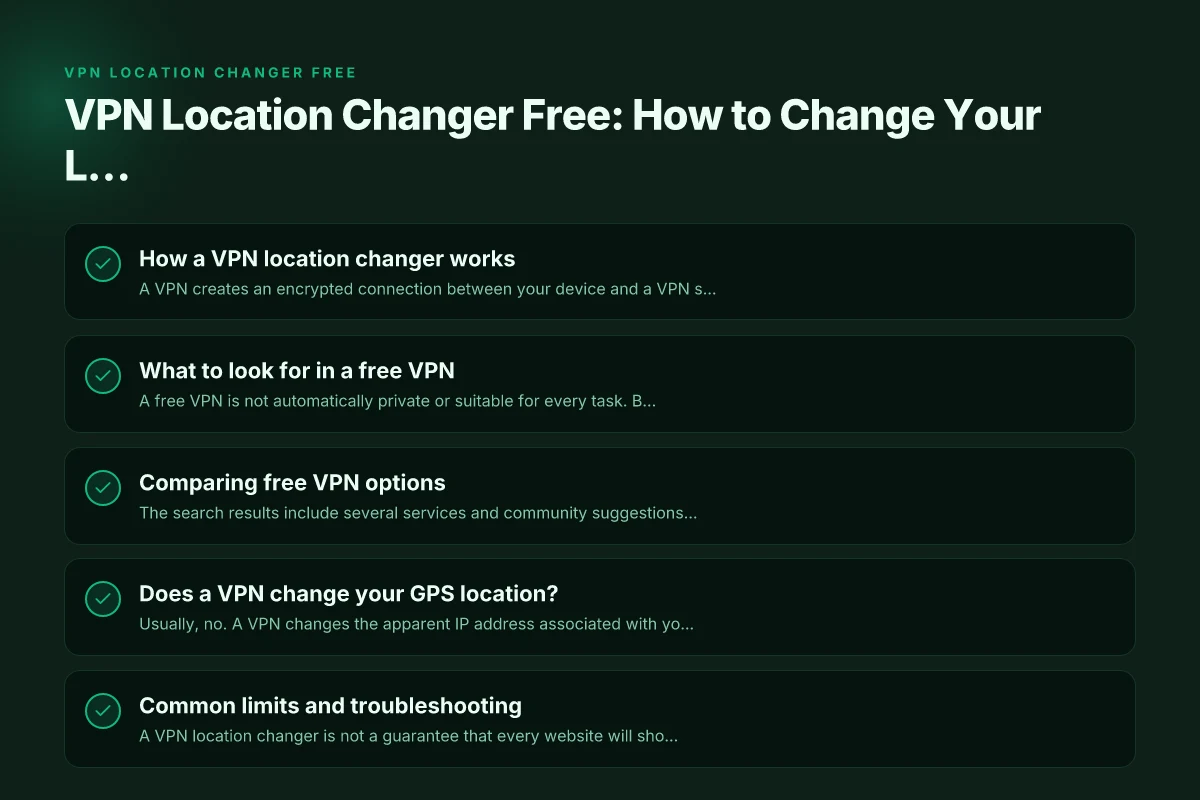
How a VPN location changer works
A VPN creates an encrypted connection between your device and a VPN server. When you browse, your internet traffic is routed through that server. Websites and online services usually identify your approximate internet location from your IP address, so they may show the VPN server’s location instead.
To change your visible IP location:
- Choose a reputable VPN provider and install its official app.
- Open the app and review its free-plan locations and limits.
- Select an available server location.
- Tap Connect, then check that the VPN is active.
- Visit an IP-checking website if you want to confirm the apparent location.
The location you can select depends on the provider’s free plan. A free VPN may let you choose among several locations, or it may assign a server automatically.
What to look for in a free VPN
A free VPN is not automatically private or suitable for every task. Before installing one, read its privacy policy and check how the free plan works. Axgate VPN: What It Is, How to Access It, and What to Check
Look for:
- Clear privacy practices: Understand whether the provider collects connection or usage data.
- Available locations: Confirm that you can choose a server, rather than being limited to an automatic connection.
- Data and speed limits: Some free plans restrict usage or performance.
- A trustworthy app: Download it from the provider’s official site or your device’s app store.
- Useful protections: Check whether the service explains how it handles dropped connections and DNS requests.
Be cautious with apps that make sweeping promises but provide little information about who runs the service or how it handles data. A VPN provider can route your traffic, so its privacy practices matter.
VPN location change versus GPS location
| Method | Changes IP-based location | Changes device GPS | Typical use | Key limitation |
|---|---|---|---|---|
| VPN | Yes | No | Websites and apps that use IP location | GPS-based apps may still show your real location |
| GPS settings | No | Yes, where supported | Apps that rely on device location | Does not change your public IP |
| Location permissions | No | No; controls app access | Limiting an app’s location access | App may use other location signals |
| Wi-Fi or cellular data | Can influence estimates | May help determine location | Network-based location services | Results vary by network and device |
| Browser location permission | No | Allows or blocks browser access | Websites requesting device location | IP-based location may remain visible |
| VPN plus location controls | Yes | Only if GPS access is separately managed | Separating IP location from GPS access | Requires checking both VPN and device settings |
Compiled November 2026; check the provider's site for current details. Fortin VPN: What FortiClient VPN Is and How to Use It
Comparing free VPN options
The search results include several services and community suggestions. Their features are not identical, and a listing or user comment should not replace checking the provider’s current terms.
| Option | What the available information says | What to check |
|---|---|---|
| Proton VPN Free | Proton VPN describes its free plan as having no data limit, no ads, and no logs of user activity. | Which free server locations are available to you and whether they meet your needs. |
| Planet VPN Free | Planet VPN advertises unlimited traffic, bandwidth, and time, with no sign-up required. | Its current privacy terms, available locations, and the exact limits of the free service. |
| Riseup VPN | A Reddit commenter recommends Riseup and mentions an open-source Android app with a limited number of locations. | Whether the app and locations suit your device and use case. |
Features can change, and availability may vary by platform or region. Check each provider’s own website or app before relying on a specific feature.
Does a VPN change your GPS location?
Usually, no. A VPN changes the apparent IP address associated with your internet traffic. It does not, by itself, change the GPS coordinates reported by your phone.
Apps may use several signals to estimate where you are, including: EqualVPN: What It Offers, How It Works, and Who It May Suit
- GPS or device location permissions
- Nearby Wi-Fi networks
- Mobile network information
- Your IP address
- Account or payment details
As a result, a VPN may change the location a website infers from your IP while an app still detects your physical location through device permissions. Review location access in your device settings if you want to control which apps can use GPS.
Free VPN troubleshooting checklist
| Symptom | Possible cause | What to try | What to verify |
|---|---|---|---|
| Location appears unchanged | App or site uses GPS | Review location permissions | Whether the service uses GPS |
| VPN will not connect | Server or network issue | Try another available server | Connection status in the VPN app |
| Internet stops after connecting | VPN or kill-switch setting | Reconnect or review settings | Whether traffic resumes safely |
| Location differs by website | Cached data or location signals | Refresh or clear site data | The displayed IP location |
| App still knows your location | Device location access remains on | Restrict the app’s permission | GPS access in device settings |
| Free data runs out | Plan allowance reached | Check the provider’s limits | Reset timing or plan restrictions |
| Speeds are slow | Congestion or free-tier limits | Try another server or time | Provider speed restrictions |
Compiled November 2026; check the provider's site for current details.
Common limits and troubleshooting
A VPN location changer is not a guarantee that every website will show the selected region. A site might use stored cookies, account settings, GPS data, or other signals. Some services may also block or challenge traffic from known VPN servers. Windows VPN: How It Works, How to Set It Up, and What to Choose
If the connection does not appear to work:
- Confirm the VPN app shows an active connection.
- Disconnect and reconnect, or try another location offered on the free plan.
- Check whether the website or app has location permissions.
- Review cookies and account-region settings where appropriate.
- Avoid entering sensitive information if you are unsure about the VPN provider.
A VPN also does not make you completely anonymous. It can help protect traffic between your device and the VPN server, but it does not prevent tracking through accounts, browser settings, or information you choose to share.
Recommendation
For a free VPN location changer, start with a provider that explains its privacy practices and clearly lists what its free plan includes. Proton VPN Free is one option to investigate if a no-data-limit plan is important; Planet VPN advertises unlimited use, while Riseup is another name mentioned by users seeking Android options. Verify current server availability and terms directly with each provider. Connect to a server in the location you need, and remember that a VPN changes your visible IP location, not your device’s GPS location or every signal a service may use.